Dashboard Updates
Shift + Refresh the Dashboard to get new features now
Changelog
For everyone:
- 3D Globe Map View (new)
- Dashboard speedup / fewer queries (page way faster now)
- Fingerprinting new methods (new)
- Use nearby windows to look for a variety of frequency references
- No more default assuming telemetry in Slot 0 is a frequency reference
- Beta features pulled back
- Some unfinished features escaped and are now back unreleased
Pro changes:
- Pro Data Pipeline Control Panel (new)
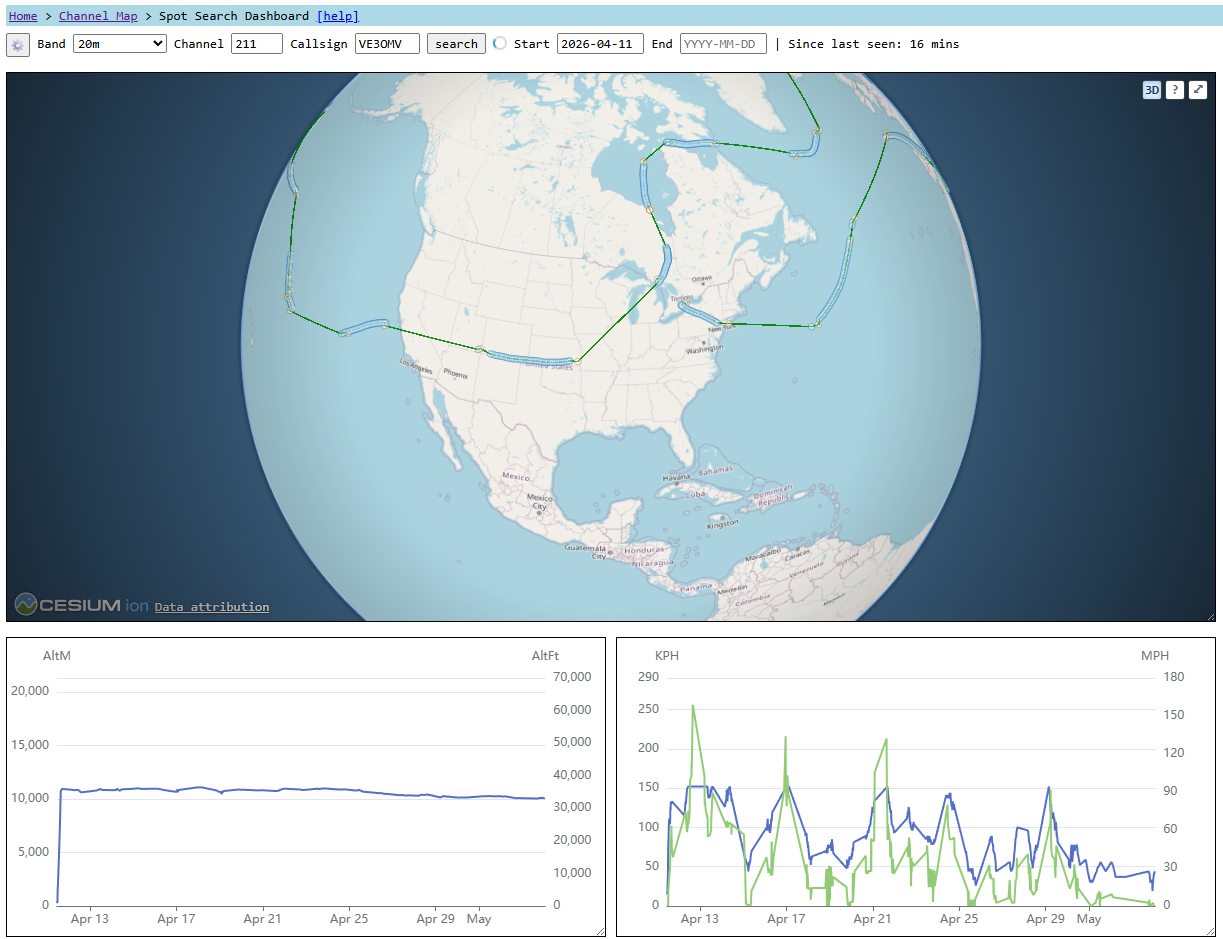
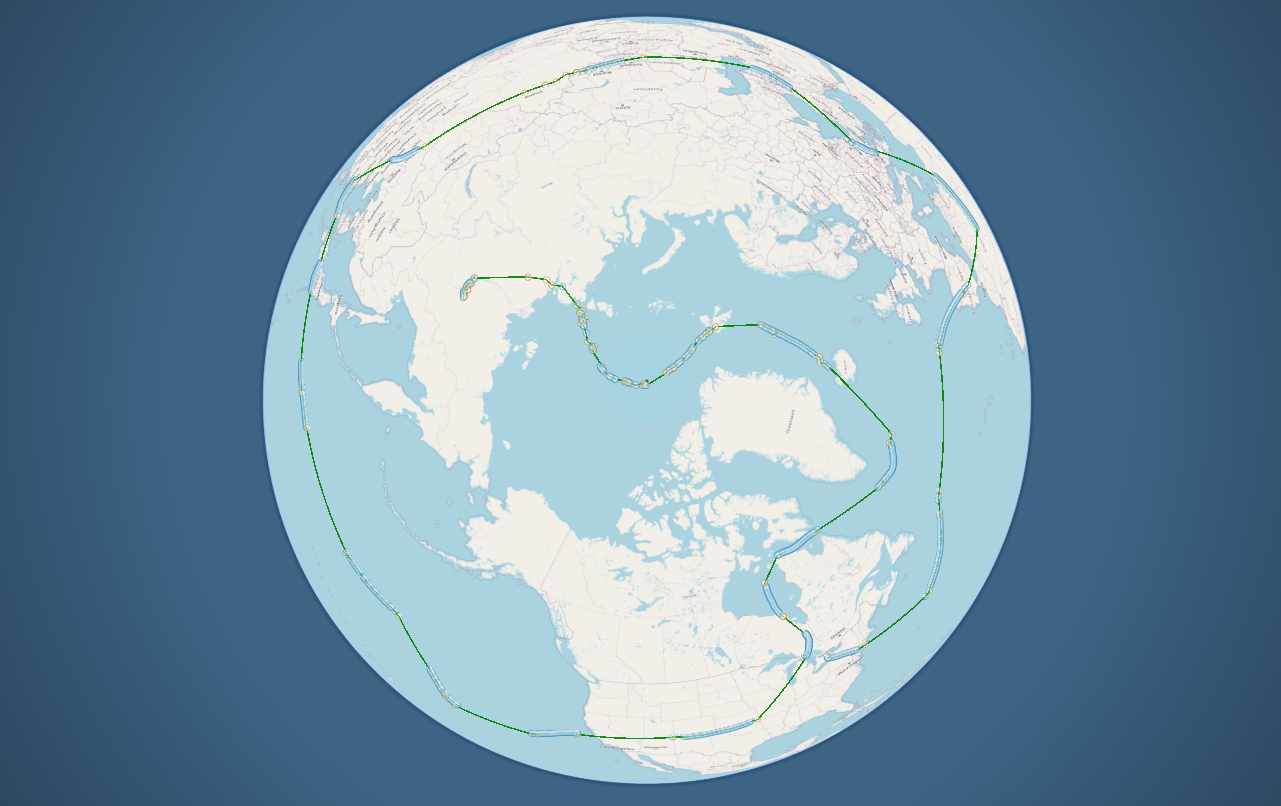
3D Globe Map View (new)
Toggle using the 3D toggle in the map
Now you have a 3D view right on the page (Example Flight)
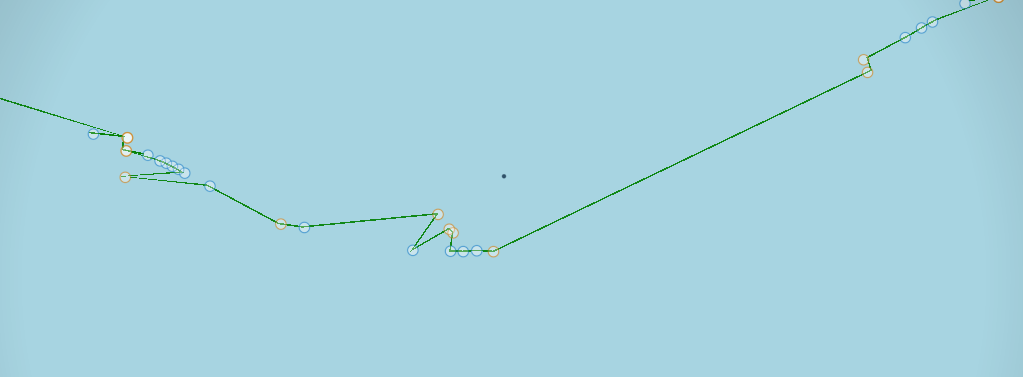
There is a North and South pole marker
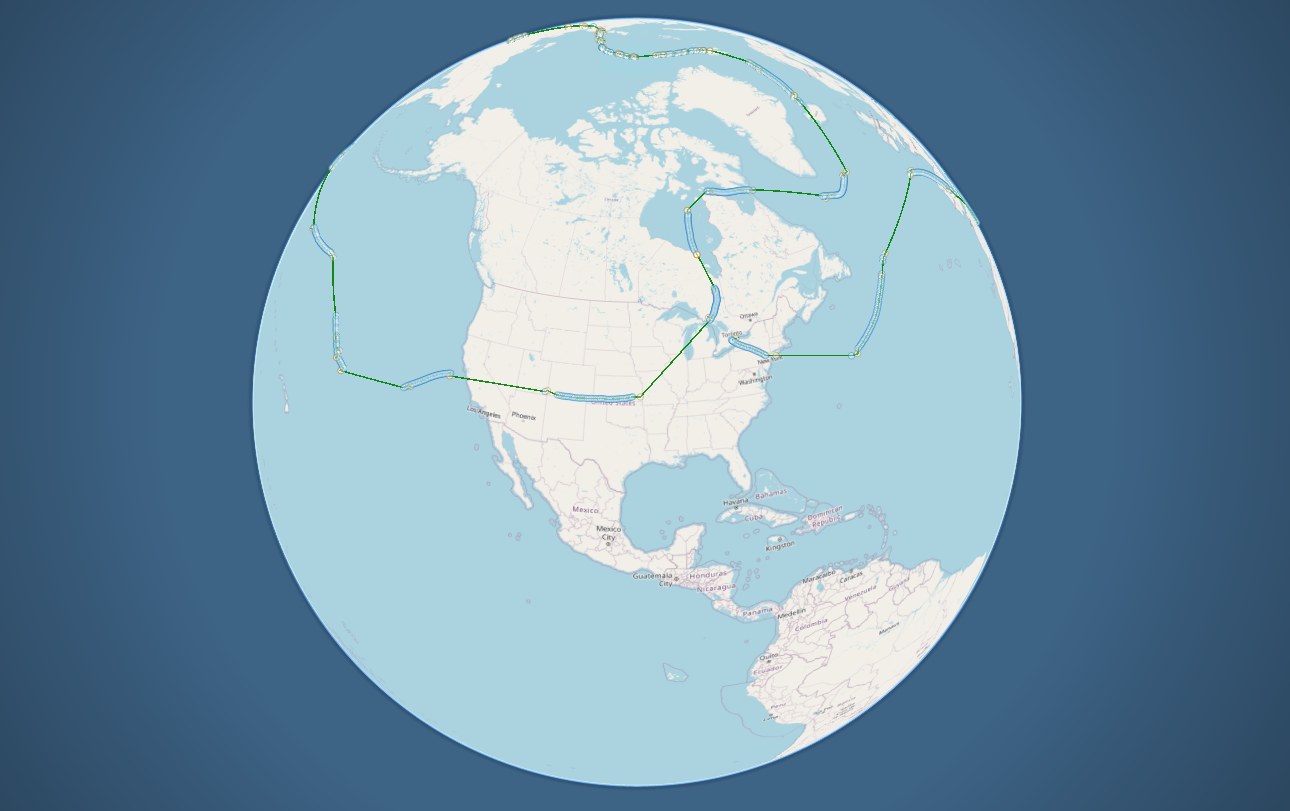
Go full screen for immersive
Fingerprinting New Methods (new)
New Fingerprinting methods automatically enabled
Fingerprinting methods (3+)
The number of Fingerprinting methods continues to grow.
Current-Window Direct Fingerprinting:
- Use frequency reference from Slot 0 (RegularType1 only) -- deployed
- Use frequency reference from Slots 1-4 (new types) -- in-development
External-Window (new) -- use a nearby-in-time window's frequency reference to do:
- Direct Fingerprinting -- (new) deployed and configurable
- Directly Fingerprint/Reject within current window
- Indirect Fingerprinting -- (new) deployed and configurable
- 2 Stages:
- Find a "match" within the current window (without rejecting anything)
- Call that match in current window the frequency reference for current window
- Do another round of fingerprinting within that window using the new frequency reference
- Find a "match" within the current window (without rejecting anything)
- 2 Stages:
Several more newer techniques in development
Fingerprinting can now recover BT and other stranded data
For example, a BT message with no window-local frequency reference can now be found.
If that message has valid GPS, the data can be extracted and used.
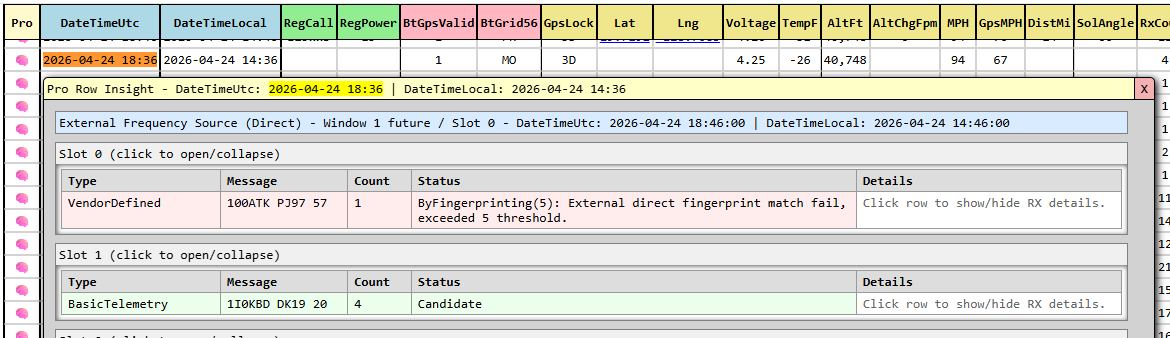
Fingerprint-recovered rows now (optionally) highlighted (new)
Choose to enable and how prominently (default on, lightly highlighted) via the Data Table controls.

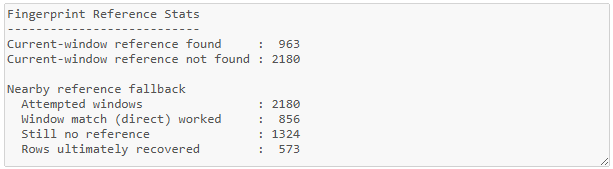
New Fingerprinting Stats (new)
This also stops (say) VendorDefined from showing up in your Slot 0
If you had stray VendorDefined or anything else showing up, this should prevent that.
If examples are found of that not being the case let's investigate.
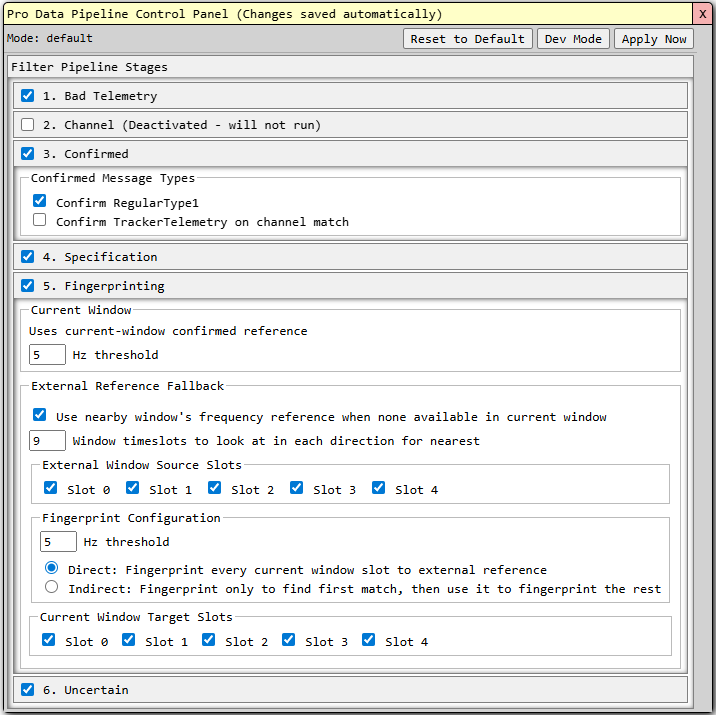
Fingerprinting now tunable (Pro) (new)
Fingerprinting now can be changed on the fly without page reload (Apply Now).
Pro Row View windows stay open provided the datetime row still exists after Apply Now.
Beta features pulled back
Some previously in-development code escaped and is now contained again
Before and After
Previously affected by not-yet-released code, now fixed.
If any further issues arise please shout
Previously impacted data:
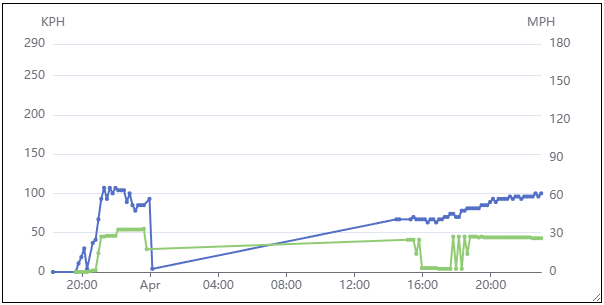
Now not affected:
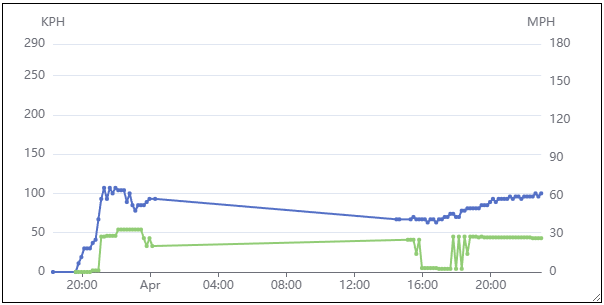
Data Pipeline Control Panel (new)
There is now a Pro-Mode control panel (new)
Changes can be made to enable/disable features of any given stage of the data pipeline as well as disable stages entirely.
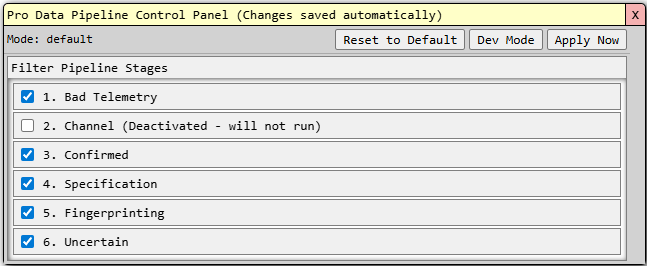
This Control Panel is for Pro users only
Click the Reset to Default button to get back to baseline.
Dashboard speedup / fewer queries
Page should load and feel much faster now.