New Flight Log and Channel Map functionality
Flight Log (new), with Channel Map and Tracker GUI changes
Flight Log and Flight Log by User
Flight Log supports recording (per-flight, all optional fields):
- Band / Channel / Start Date / End Date
- Tracker
- Flight Identifier (custom to your scheme)
- Power configuration (eg solar setup, batteries, etc)
- Free lift
- Balloon type
- Payload weight
- Lift gas
- UserDefined / VendorDefined configuration
- Notes
- Links (list of URLs)
Overview
- Now exists
- Has user and global view, with preliminary stats
- Import/Export
Channel Map
- Integrates with Flight Log to display last few flights
- Allows quick-add of new Flight Log entry
Tracker GUI
- Allows creation of new Flight Log entry from tracker-configured values
Flight Log
Overview
Flight Log now exists and allows tracking and viewing flights across users
Two views:
- Flight Log by User (per-user)
- Flight Log (all flights)
Historical flights entered (best effort, cleanup probably needed)
Please let me know if you want your flight details removed, they were observed on the forum so I figured they were ok to include.
Flights where there wasn't a definite end date were closed after 1 month to avoid links that span years. You can tweak that yourself or leave it.
Flight Log Per-User
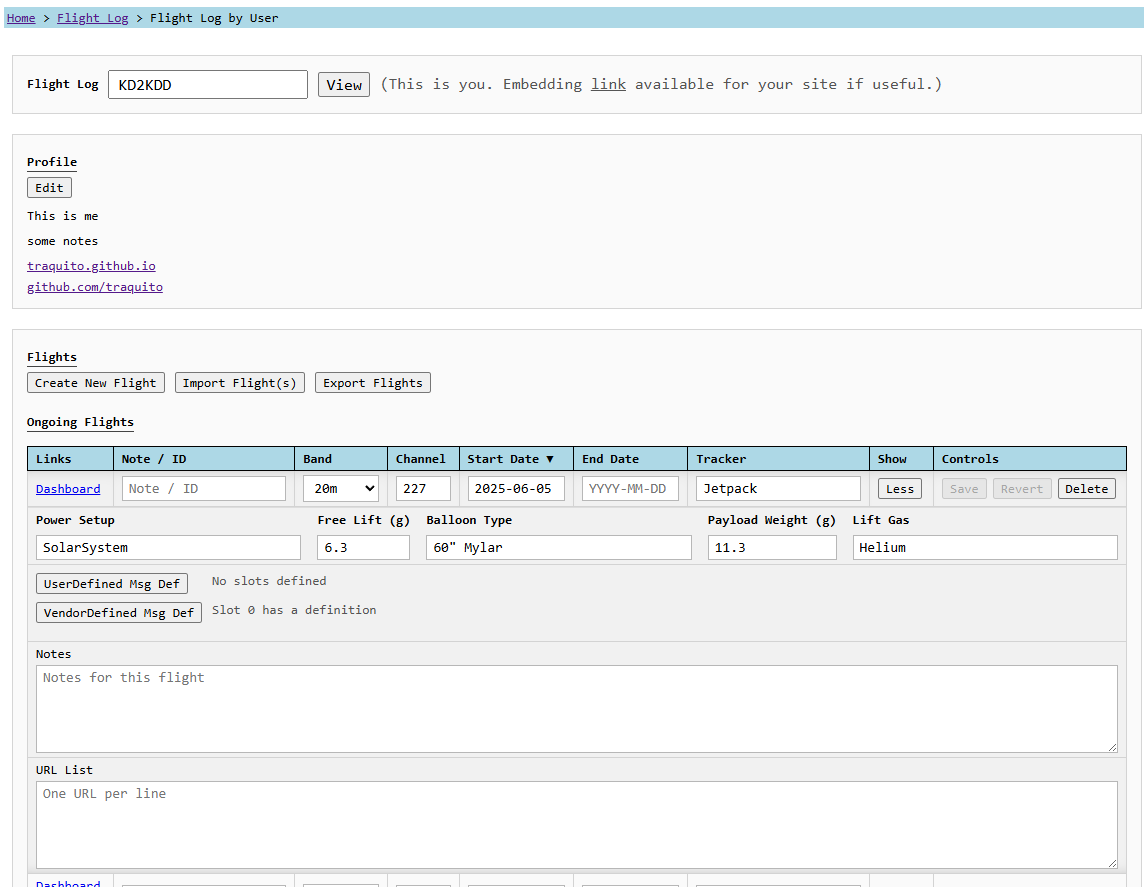
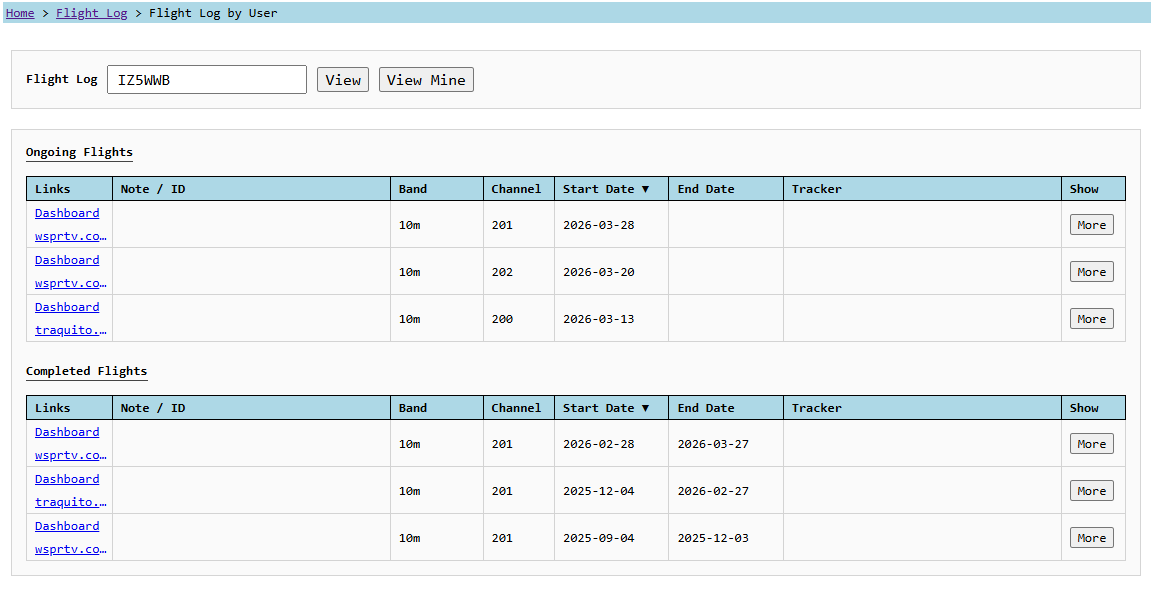
When you're logged in, and looking at your own page, you can
- Add a profile banner with notes/links/etc
- Add/Modify/Delete entries
- Store notes and links on a per-flight basis
- Add details about the flight
- Supports UserDefined and VendorDefined messages (import via link sets these also)
- Draft entries (no start date or future-dated) stay visible on this page only until ready
- Import by url, url list, csv file
- Notes and links automatically added
- Export to csv
- Get embeddable link if you want to link (via iframe) to this page from yours
When you're not logged in or looking at someone else's page, you can
- See all the user's flights/stats/etc
- No editing (of course)
In both views you see flights grouped by Ongoing and Completed status
Flight Log (all flights)
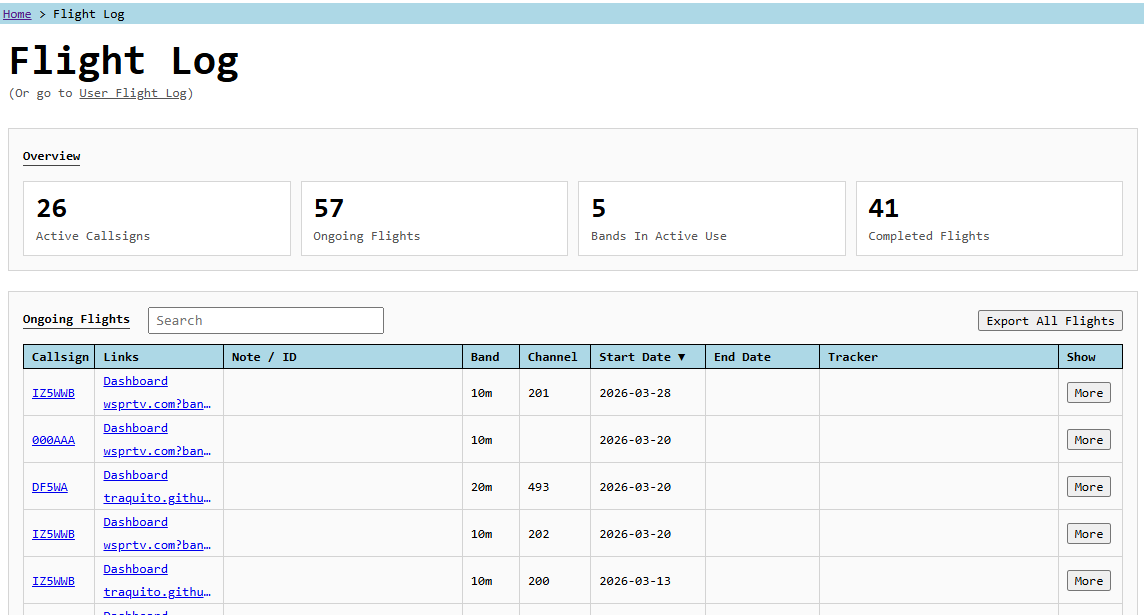
All Flights
- See global stats
- See flights grouped by Ongoing and Completed.
- Links to flights and user flight logs
- Export to csv
Channel Map
Overview
Shows flights for a given band/channel (up to 3 for now)
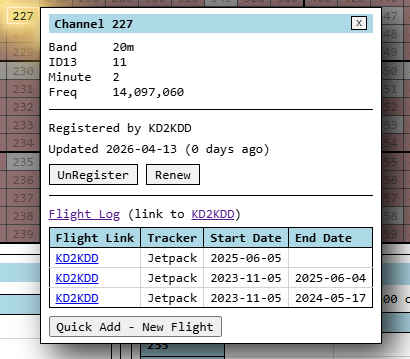
Quick add right in Channel Map
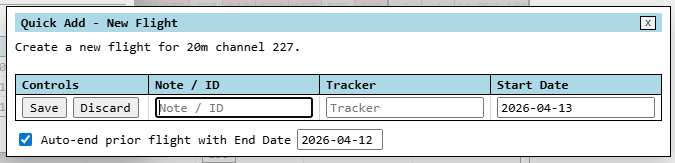
Subset of fields available for super-fast add.
Even lets you auto-end the prior flight (if it is yours and not already completed).
Tracker GUI
Overview
Tracker GUI now provides a link to auto-populate a new Flight Log entry
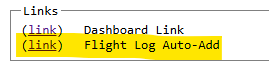
Click the link and your Flight Log page will open a new entry pre-filled with tracker-configuration details including UserDefined message defs.
Future Changes
More stats / graphs / reporting etc from the data.